🦲 Viral Faceless Videos: Turn Your Creative Ideas into Attention-Grabbing Shorts in a Few Clicks
Introduction: Why Faceless Videos Work
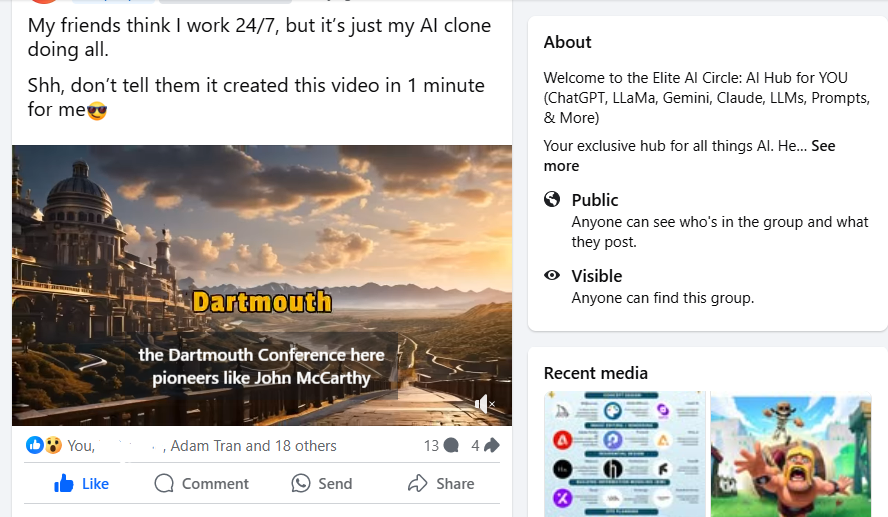
Look at these videos👇
crazy-facts-about-alexander-that-you-have-never-heard-before-720-publer.io.mp4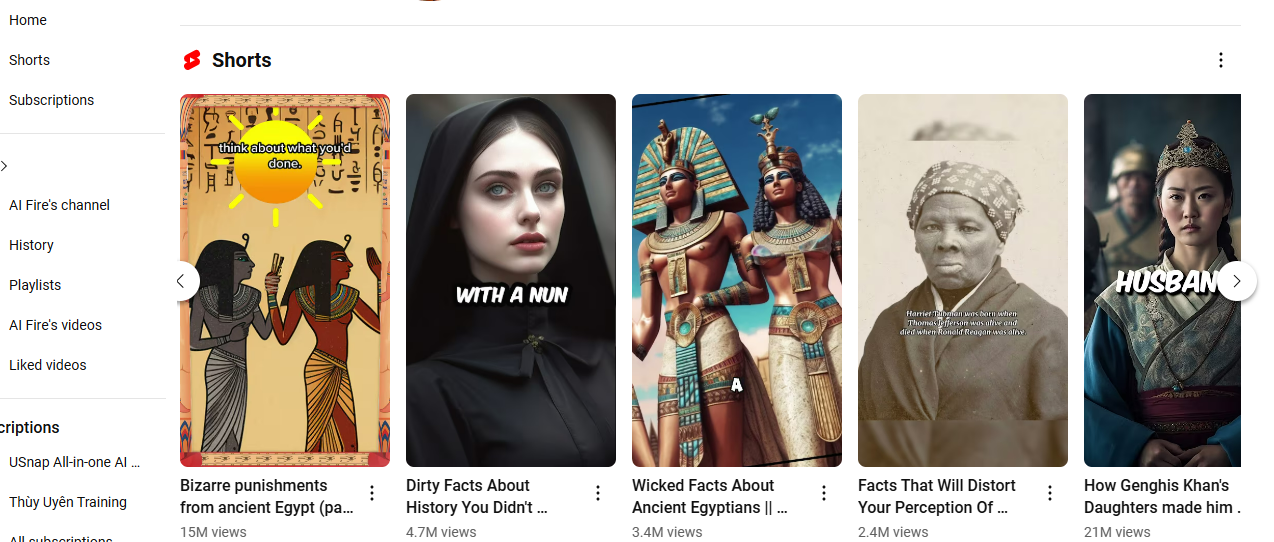
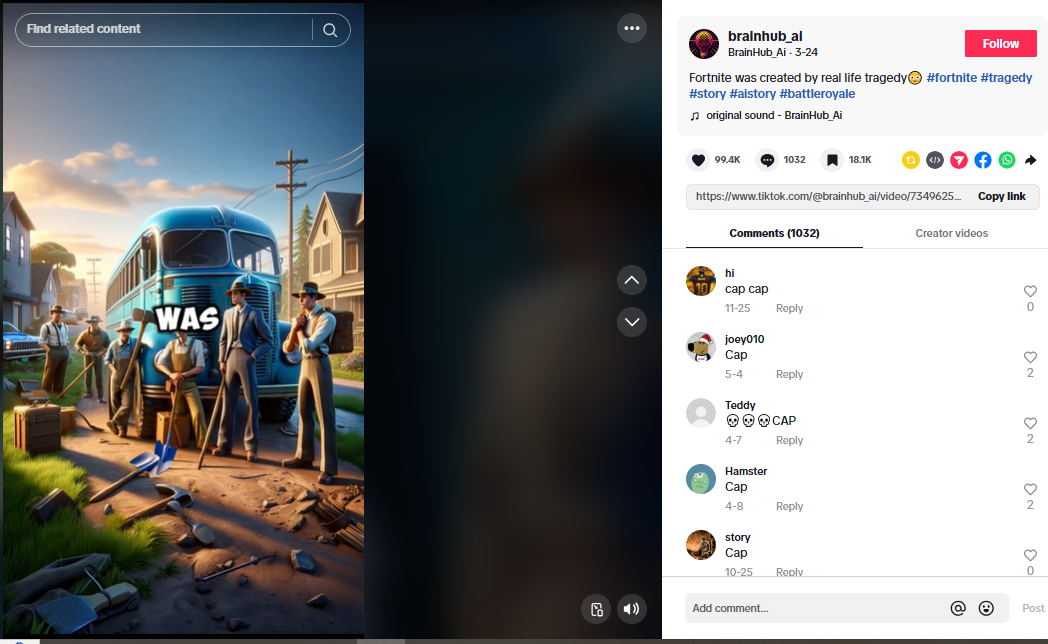
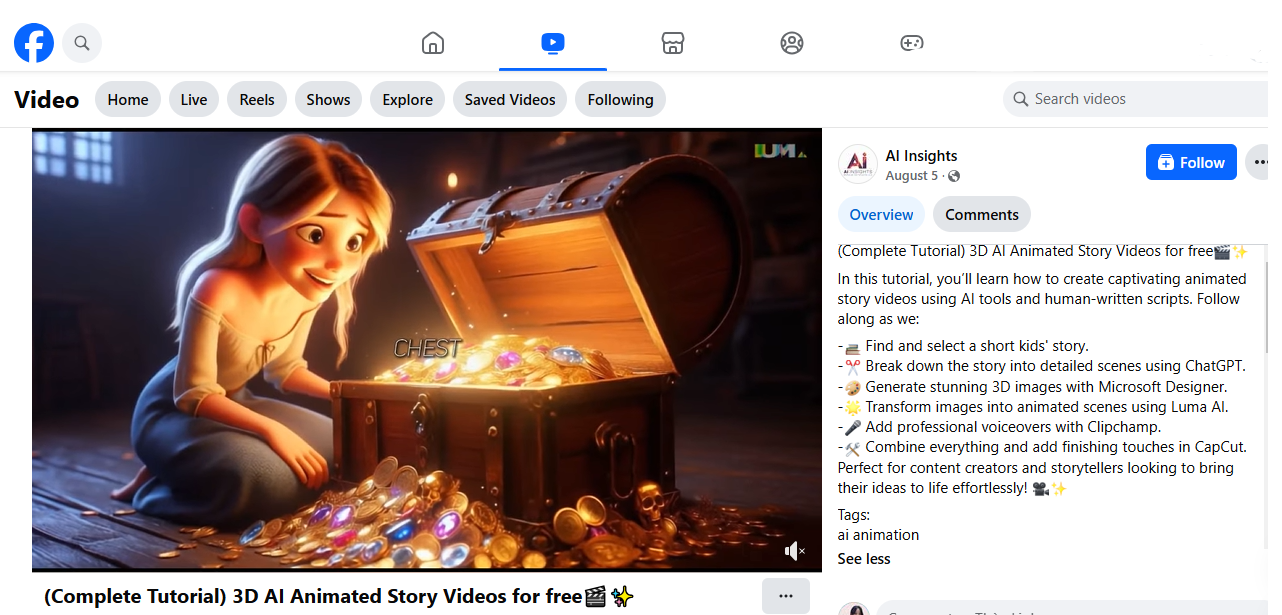
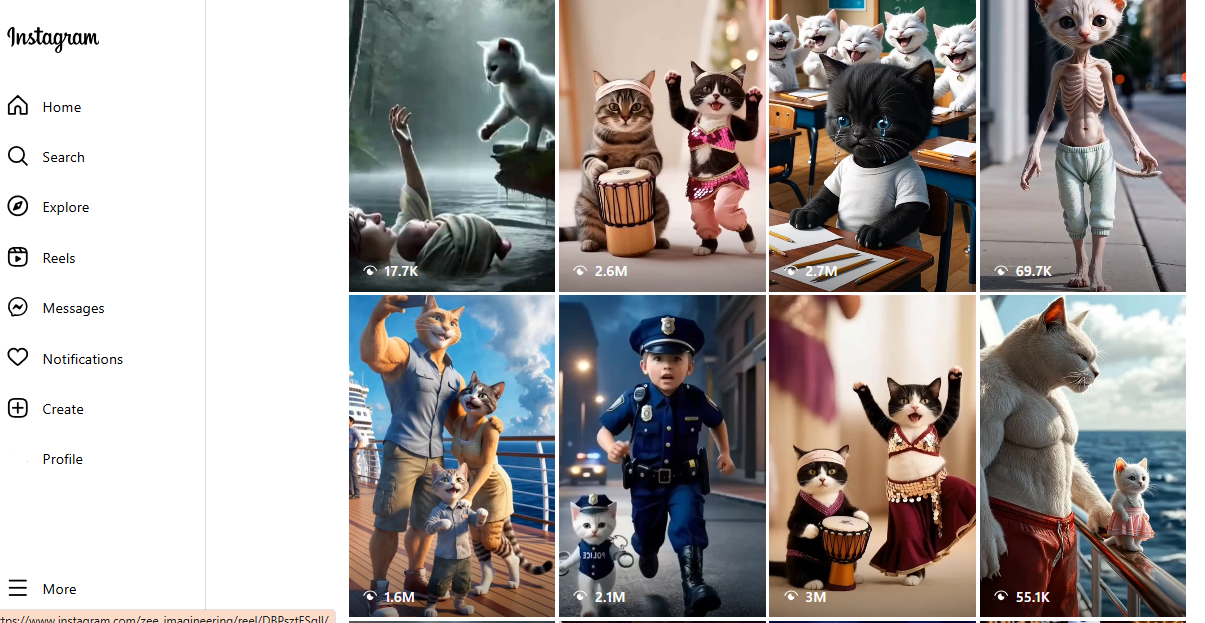
Do they look familiar? You've probably seen viral videos like this before, each video get millions views. Do you think the creator spent hours making them? The answer is NO. They create these videos in just a few minutes using AI tools.
I've tested over 20 AI tools and researched their process to create faceless videos. I can confidently say that you can 100% create videos like this, or even better. This guide is for you, it's practical, step-by-step. I'll walk you through it and explain everything. After that, you can easily upload the video to all major social media platforms like Facebook, YouTube, Instagram, and Facebook Reels, just like they do. And don’t forget the trending platform in 2025: LinkedIn.
And welcome back to the next part in Viral Automated AI Replica Playbook, as you can see above, faceless videos work in almost any niche, from education and DIY tutorials to storytelling and entertainment. And anyone can create faceless videos, even without professional equipment or on-camera confidence.
📌 IMPORTANT NOTE: First, you need to go through the previous steps, especially these parts before you can effectively use this guide:
How to Create Content That Gets Millions of Views and Spreads Fast in 2025 (in Playbook)
AI Fire's secret to gaining 150K+ members in just a few months on Facebook
Create Your AI Clone Voice That Sounds Exactly Like You (Same Tone, Pitch & Pace)
Proven AI Engagement Scripts with 125+ Best Viral Video Hooks 2025 (within Playbook)
You need to understand what your audience wants, their preferences, what the market is trending toward, and the 2025 trends. After finishing these parts, I make sure you’ll have the right mindset, logical thinking to start your AI replica journey.
=> Otherwise, even if the videos you create look great, seem appealing, or feel captivating to you, they will likely fail to align with the true insights of social media users.
=> You need to master how to create a compelling story, not just rely on pre-made content from ChatGPT or other AI tools.
=> Once again, make sure you’ve followed all the previous steps before creating faceless videos with this guide.
I. Getting Ready for Creating Faceless Videos
Faceless videos are all about presenting compelling content while staying behind the scenes. This section will help you organize your ideas, choose the right tools, and set the stage for a seamless creation process. These steps ensure you’re fully prepared to create captivating videos that grab attention.
1. Brainstorming and Organizing Video Script
Let’s get your ideas in order. Before you can make a faceless video, you need a clear plan. Don’t worry, I’ll walk you through this step so you’re ready to create something amazing. This is just the brief, you can come back to part 4 in the playbook to get 45 writing tips and best scripts to increase comments, shares, and reactions immediately.
Step 1: Start with Your Goal: Think about what you want to say and why it matters. Ask yourself:
“What’s the message I want viewers to take away?”
“Do I want to teach, inspire, or entertain?”
Write this down in one sentence. For example:
“I want to teach people how to organize their day with simple tools”.
“I will share a quick tip for saving money on groceries”.
Your goal keeps everything focused. If you ever feel stuck, come back to it.
Step 2: Research Trending Topics: You don’t have to start from scratch. Look at what’s already popular in your niche.
Scroll through TikTok, Instagram, or YouTube Shorts to spot trends.
Use Google Trends to see what’s gaining attention.
Check hashtags in your niche for inspiration.
Ask yourself: “What’s working for others? How can I make it my own?” Remember to add your unique angle. Even if the idea isn’t new, your spin makes it fresh.
Step 3: Create a Simple Outline: Now that you have your goal and ideas, it’s time to organize them. Your video should have three parts:
Hook: Grab attention in the first 3 seconds. Use a proven hook from Part 4 of the playbook if you need ideas or just grab one of these and start. We tested all of the given hooks for years so don’t worry.
Main Content: Explain your message. Keep it clear and concise. Use our 45 writing tips and you’ll get a catchy video.
Call-to-Action: Tell viewers what to do next.
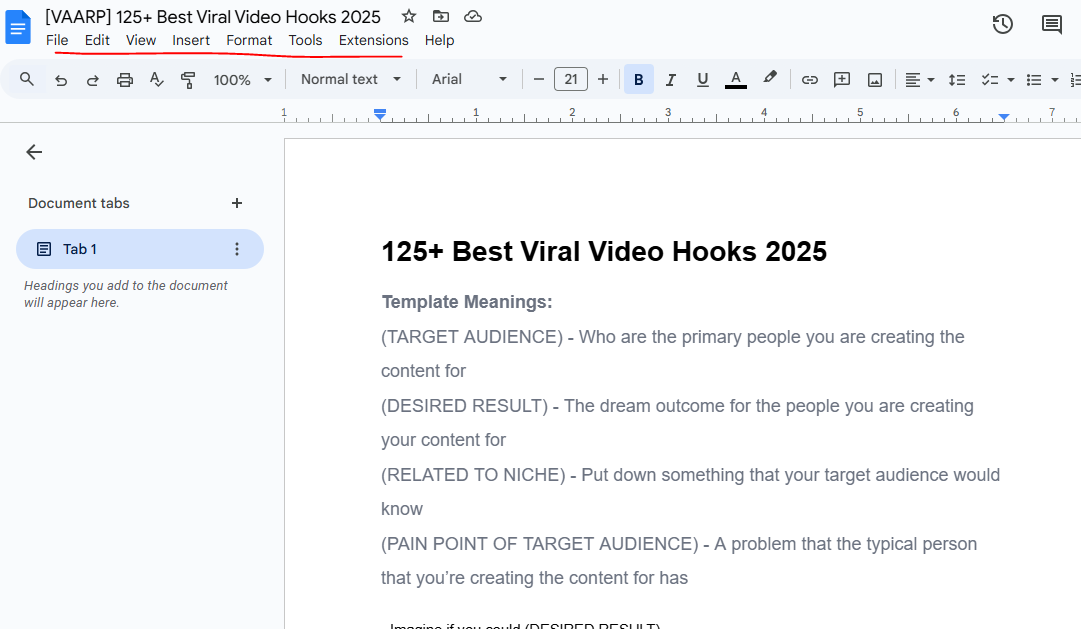
This outline helps you stay organized and makes your video flow naturally.
Step 4: Draft and Edit Your Script: Write your script based on the outline. It doesn’t have to be perfect, just get your ideas down. Then, read it out loud. Does it sound natural? Adjust anything that feels awkward or unclear.
=> Keep sentences short and conversational. Imagine you’re explaining this to a friend.
Checklist for editing your script:
Does the hook grab attention right away?
Is the message clear and easy to follow?
Is it short enough for a 15–60 second video?
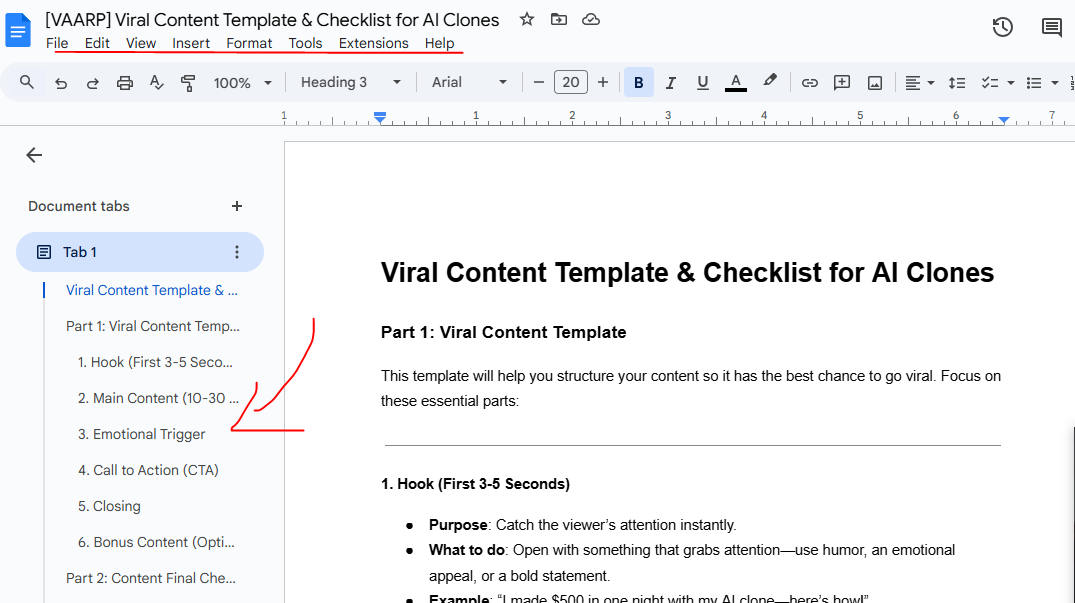
Step 5: Final Touches: Before moving forward, double-check everything:
Does your script reflect your goal?
Are you using a hook and call-to-action that make people want to engage?
Did you keep it simple and conversational?
If it all looks good, you’re ready to go! Your script is the backbone of your video. When you plan and organize it well, everything else becomes easier. Now that your script is ready, you’re one step closer to creating a faceless video that stands out.
Here’s the script I’ll use today (about interesting facts):
Don't sleep with the mirror in your room.
Random facts, the last fact is shocking.
When we kiss someone, traces of their DNA stay in our mouth for 3 days.
Sleeping on your right side helps you fall asleep faster than sleeping on your left side.
Testing's making kids less creative and dumber.
We are more attractive to a person's scent than their appearance.
The most told lie in the world is I AM Fine.
The biggest liars are children of strict parents.
The sudden feeling of falling while sleeping is classified as a mild epileptic seizure.
The arms of chairs are just chairs for our arms.
Honey never spoils and you don't have to keep it in a cool environment.
When you sneeze, your heart stops beating for 1 second.
Studies show that you should like and subscribe as you may become smarter!
2. Understanding AI Faceless Video Tool - Revid AI
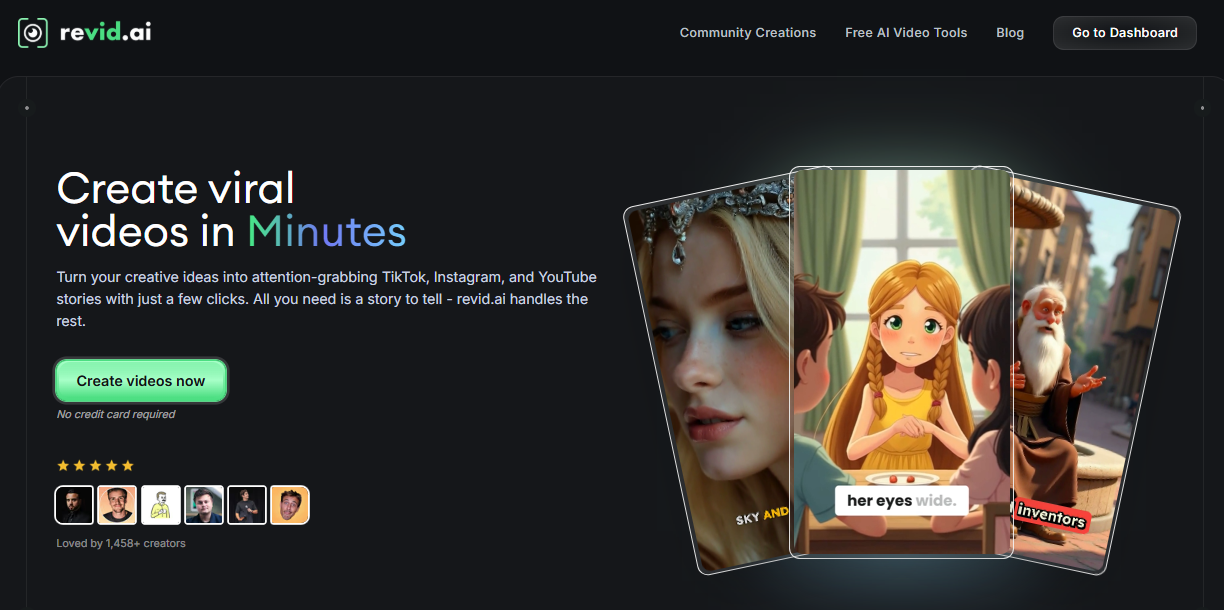
I must say that there are hundreds of tools out there to create faceless videos, but trust me, I compared and personally tested these tools in a week, and this is the ultimate assistant for creating faceless videos quickly and professionally.
Let’s talk about how it can make your video creation process easy and effective. If you’re new to faceless videos or short on time, this tool does most of the heavy lifting for you. I’ll guide you through what it is, why it works, and how you can use it step by step.
So What is Revid AI?
Revid AI is an AI-powered platform that turns your ideas, text, or even links into engaging short videos. If you’ve ever struggled with editing or scripting, Revid AI takes care of that for you. But like I said before, you need to put a little effort into the story in the video, don’t just take pre-made one.
Think of Revid as your video assistant, helping you create professional-quality videos without needing advanced skills.
With Revid AI, you’ll spend less time stressing over the details and more time focusing on what matters - your creative ideas. It’s especially useful for faceless videos because it automates the visuals, voiceovers, and editing process.
Why Should You Use Revid AI? Here’s why I recommend using Revid AI:
No Camera Needed: You don’t have to appear on screen at all.
Saves Time: You can create a polished video in minutes instead of hours.
Professional Quality: It adds animations, captions, and transitions for you.
Voice Options: You can upload your AI Clone voice (from Part 3 in the playbook) or choose one of Revid AI’s voice-over options. But from my experience, real audiences love real voice or your voice!
Custom Templates: You get ready-made designs that you can tweak to fit your style.
Using Revid AI means you don’t need to hire editors or learn complicated software. It’s simple and built for people like you who want quick results without sacrificing quality.
Pro Tips for Using Revid AI: Let me share a few tips to help you get the best results:
Start Small: If this is your first time, create a 30-60 second video to practice. You can edit, create but can’t export videos with Free plan.
Experiment with Templates: Try different styles to see what works for your audience.
Add Captions: Many people watch videos without sound, so captions make a big difference.
Keep It Simple: Don’t overcomplicate your visuals, stick to clean, focused designs.
I hope you see how Revid AI can transform the way you create videos. It’s fast, user-friendly, and does the hard work for you. If you’re ready to create faceless videos that stand out, this tool is a game-changer. Give it a try, and you’ll see how easy it is to turn your ideas into something amazing.
II. Simple Steps to Create a Viral Faceless Video
Faceless videos are one of the easiest ways to share your ideas without being in front of the camera. Whether you're shy or want to keep your focus on creativity, I’ll guide you step-by-step to make the process simple. Follow along, and you’ll have your first video ready in no time.
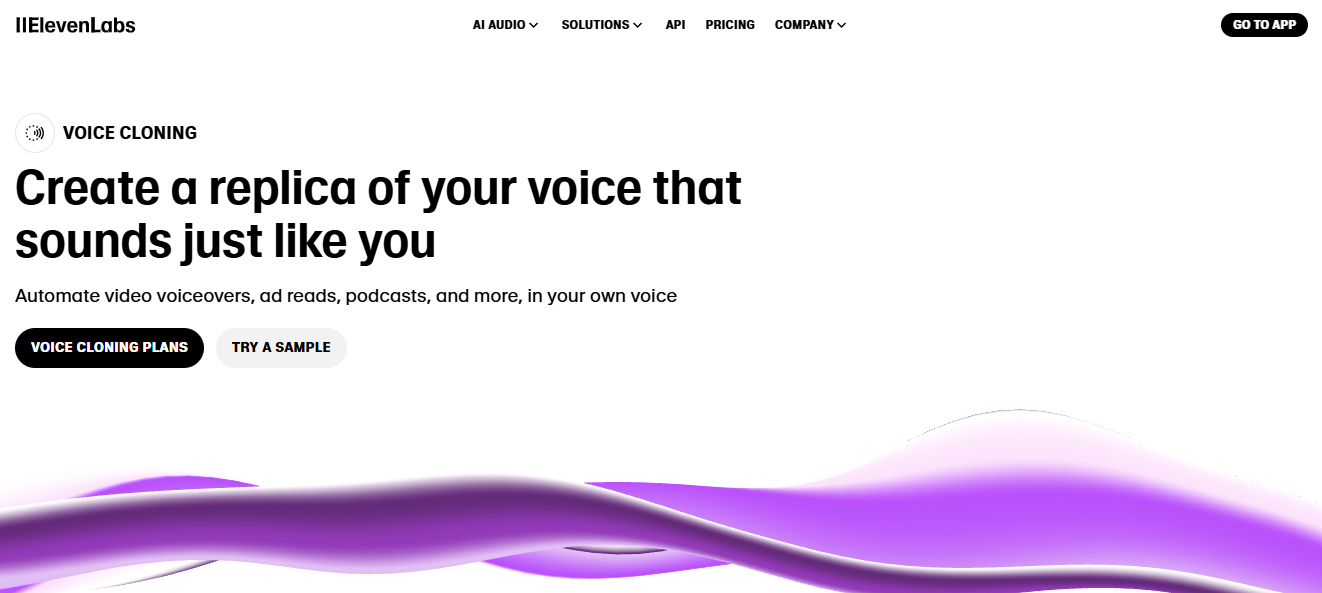
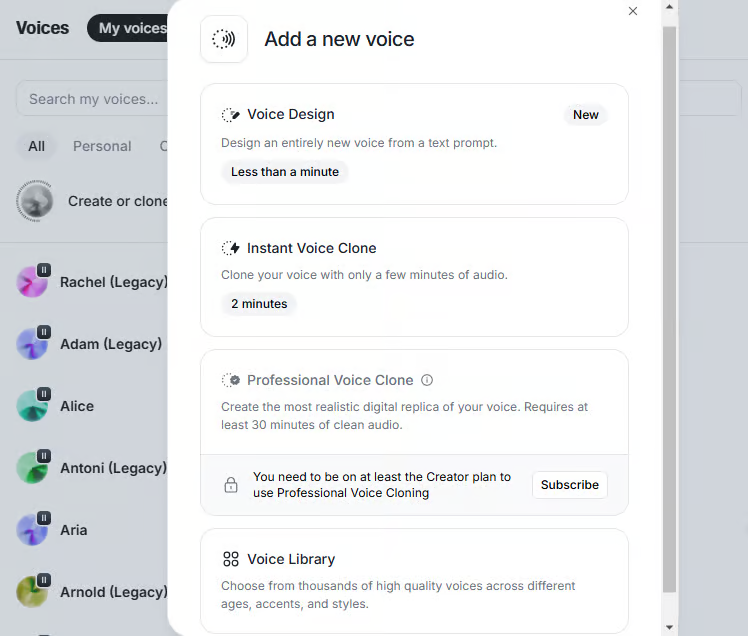
Step 1: Clone Your Own Voice in ElevenLabs (Optional)
To make your video feel unique and professional, start with your own AI-generated voice. This makes your content stand out while keeping it personal. Or if you don’t like using your own voice, go ahead to step 2 and use pre-built voice.
Sign Up on ElevenLabs: Go to ElevenLabs and create an account. It’s quick and straightforward.
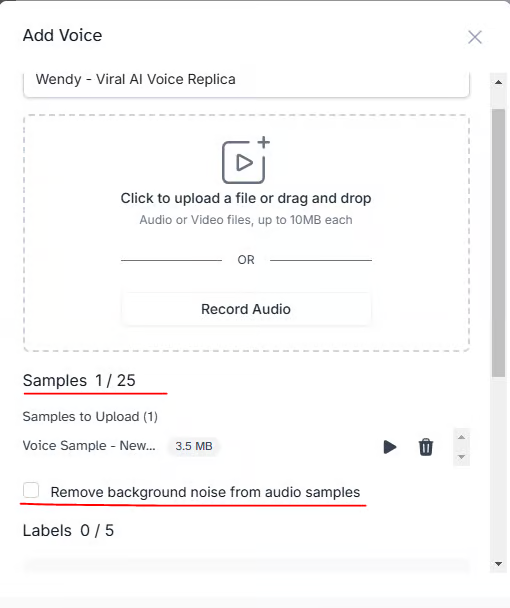
Record or Upload Your Voice: Use a clear recording of your voice, ideally in a quiet environment. This ensures better AI training. Upload the recording to ElevenLabs. Their system analyzes your voice's pitch, tone, and pace.
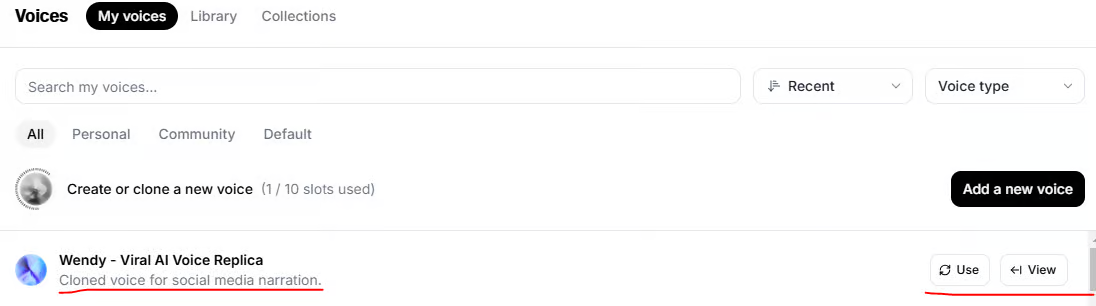
Generate Your AI Voice Clone: Once uploaded, the tool processes your voice to create an AI clone. Test it by generating a sample audio clip.
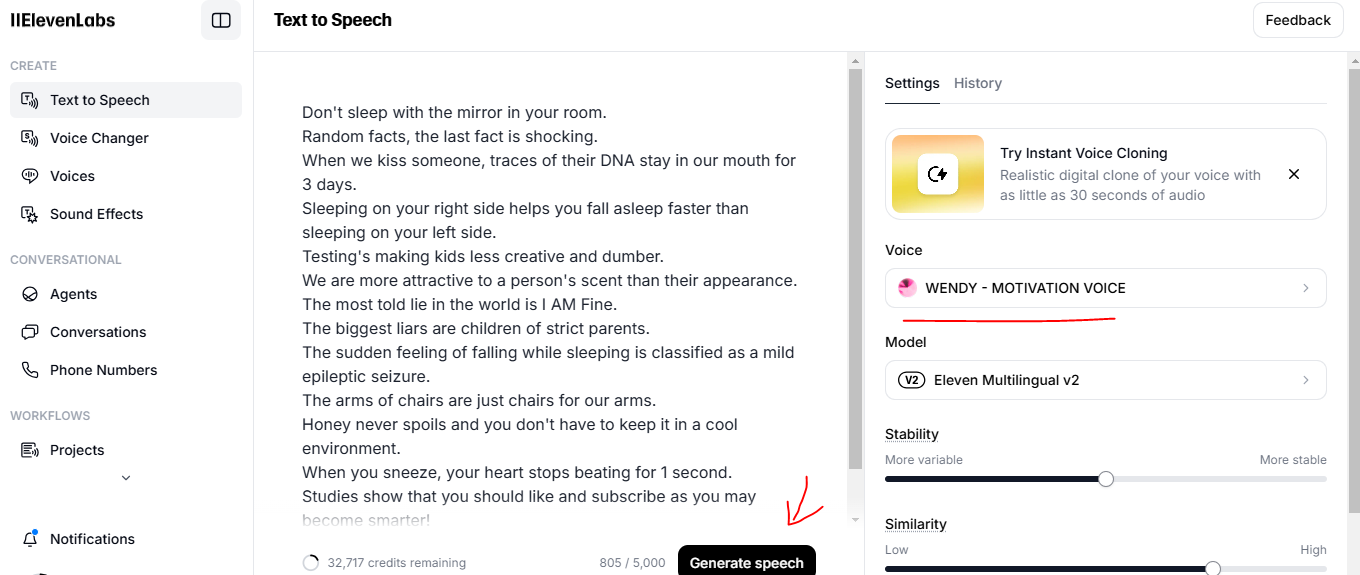
Create the Audio Sound with the Script: Click on “Use” and paste your script in the box, remember to download the generated voice like below:
Step 2: Create a Revid AI Account
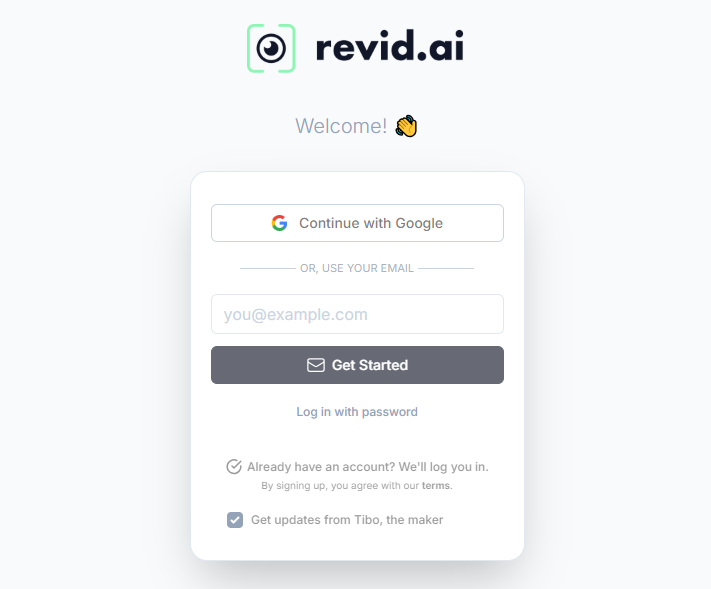
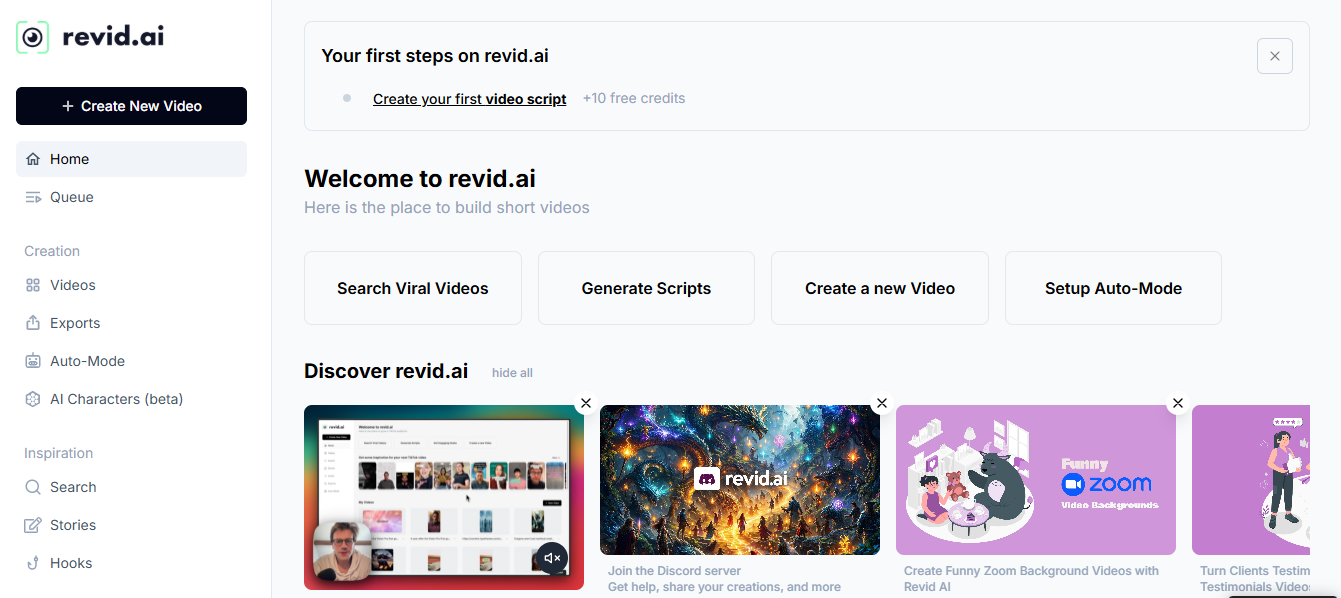
Visit Revid AI: Open Revid AI and sign up for a new account. You can explore their plans, starting with a free trial is a good idea.
Customize Your Dashboard: Let’s familiarize yourself with the interface. Revid AI provides tools for script input, voice integration, and media selection all in one place.
Check Your Settings: Set your preferences, like video formats, default audio options, and screen ratios. This saves time during video creation.
Step 3: Create a Faceless Video
Here’s where the magic happens: Revid AI turns your ideas into a polished faceless video. Follow these steps to make it happen:
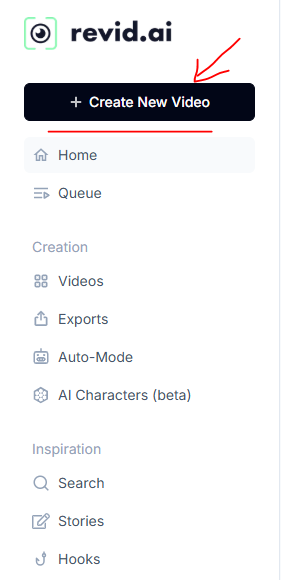
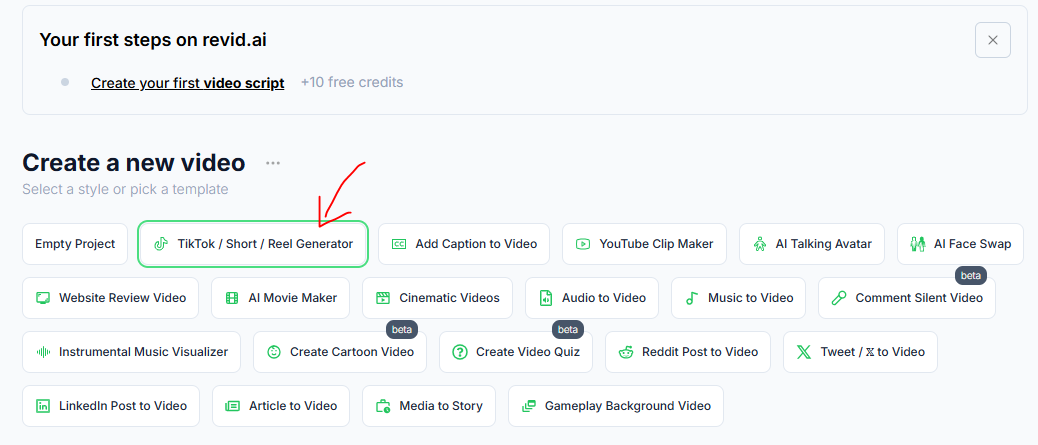
Start a New Project: From the dashboard, click "Create New Video."
Select a Style or Pick a Template: Choose from Revid’s pre-designed templates, optimized for social media platforms like TikTok or YouTube. For me, I’ll choose “TikTok/ Short/ Reel Generator”. If you’re unsure, start with a dynamic or minimalistic template.
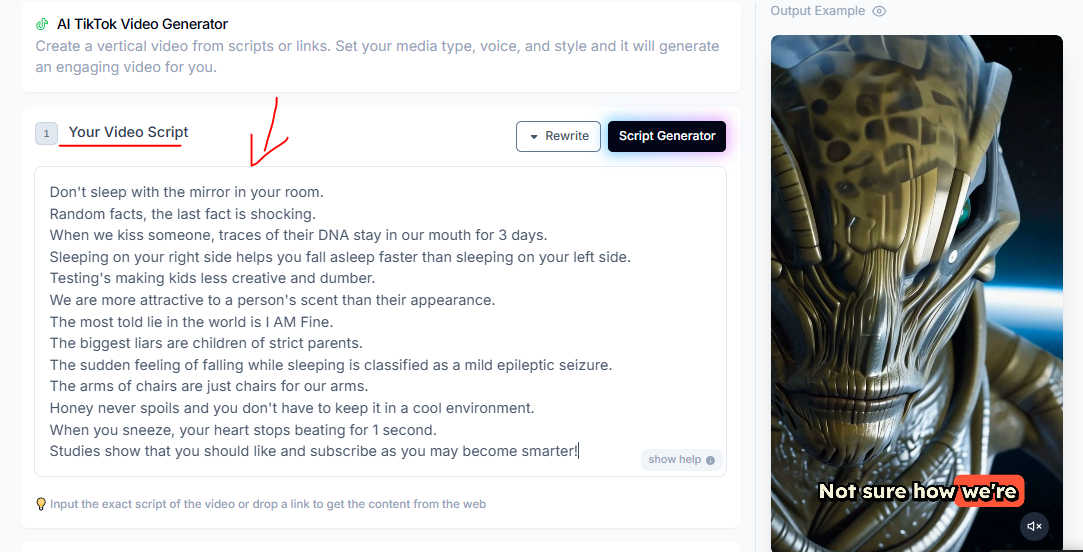
Input Your Script or Use a Web Link: Copy the text from the script you wrote in Step 2 of this process. If your content is already online (like a blog post or article), paste the URL. Revid AI will extract the text and auto-generate a script for you.
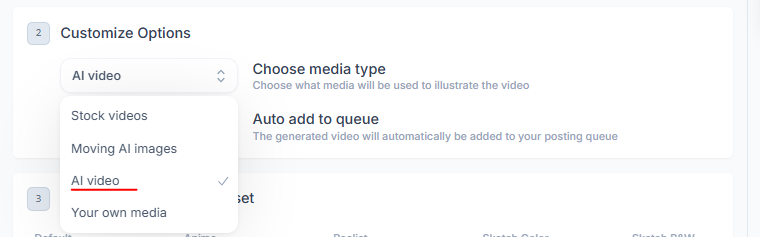
Choose Media to Illustrate Your Video: Select visuals like stock videos, animations, or your own media uploads. You’ll see several options: Stock videos, Moving AI images, AI video, or Your own media. But I think the best choice is AI video or Moving AI images.
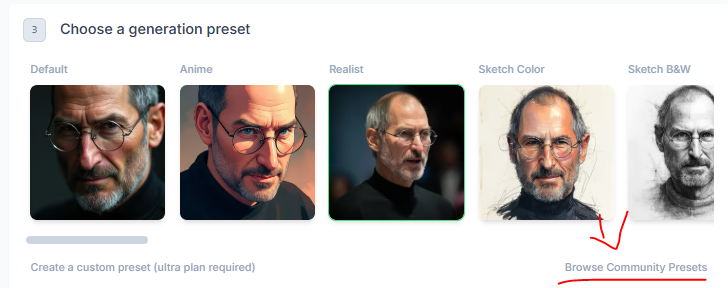
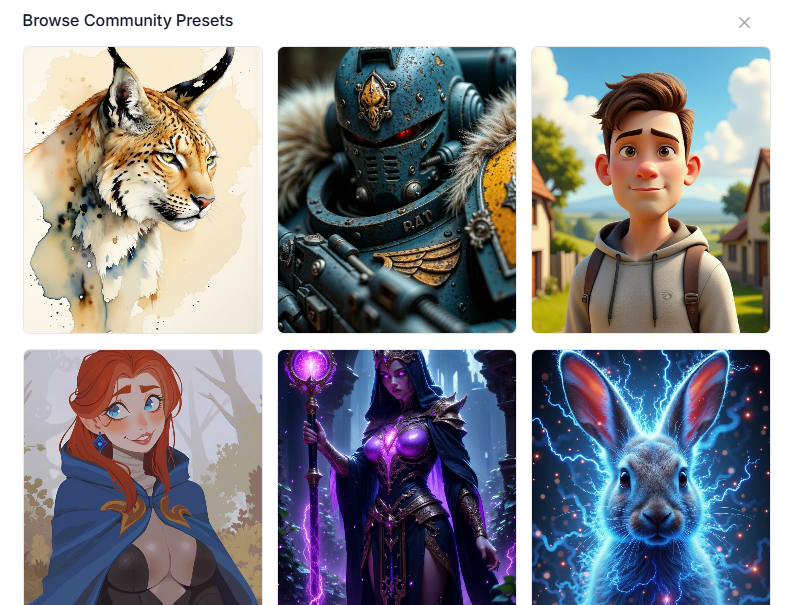
Set a Generation Preset (Optional): Choose a preset style for your video (e.g., “Vibrant,” “Corporate,” or “Minimal”). This will define the overall look and feel.
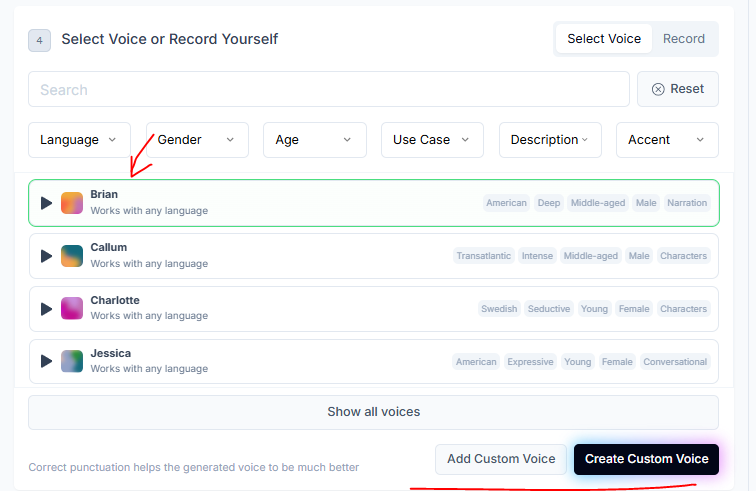
Select Voice or Record Yourself: Select your AI voice from ElevenLabs to narrate the video. Alternatively, you can record your voice directly within Revid AI. For me, I’ll choose pre-built male voice (I think it’s more attractive than my own voice😂)
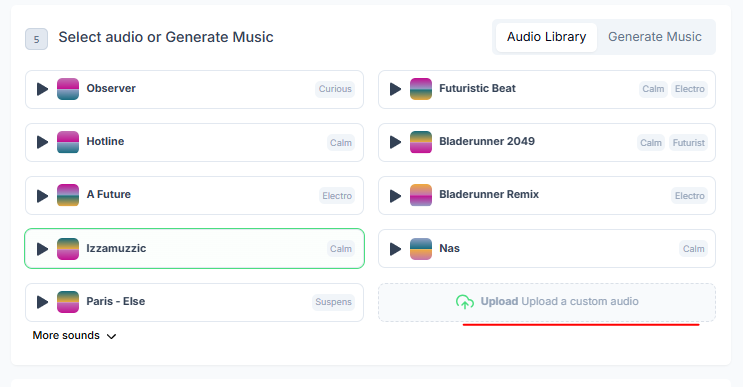
Select audio or Generate Music: Choose background music from Revid AI’s library or upload your own. Remember to match the music to your content’s tone - upbeat for exciting topics, calm for informative videos.
Step 4: Make Additional Adjustments
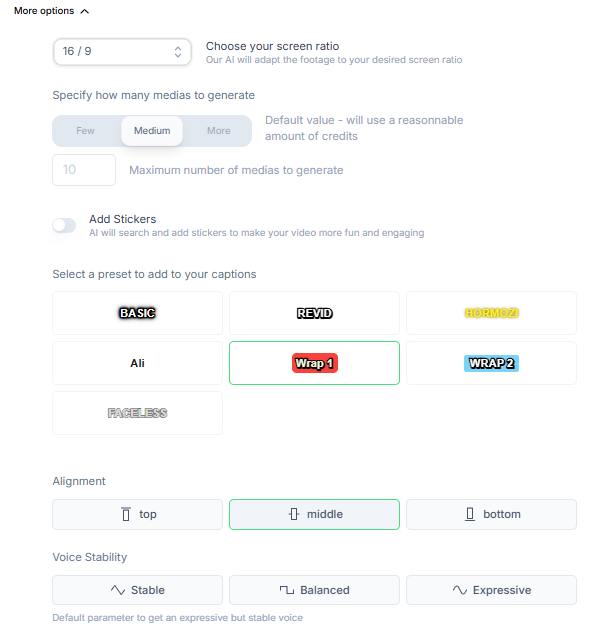
Once the initial video is generated, fine-tune it to fit your vision perfectly. This is optional because I find default settings are quite useful and good enough. Click on “More options” and follow this guide:
Set the Screen Ratio: Choose the correct ratio for the platform. If you’re unsure, select "Auto," and Revid AI will adapt the footage for you.
9:16 for TikTok, Instagram Reels, and YouTube Shorts.
16:9 for standard YouTube videos.
Adjust Media Generation Settings: Specify how many visuals Revid AI should generate for your video. The default option uses a balanced approach to avoid overloading with unnecessary clips.
Tweak Captions: Add captions to highlight key points in your video. Customize:
Font Style: Pick something clean and readable.
Alignment: Choose the placement that works best (center, bottom, etc.).
Fine-Tune Voice Settings: Adjust Voice Stability to make it expressive but consistent. Test different settings to find the tone that fits your video best.
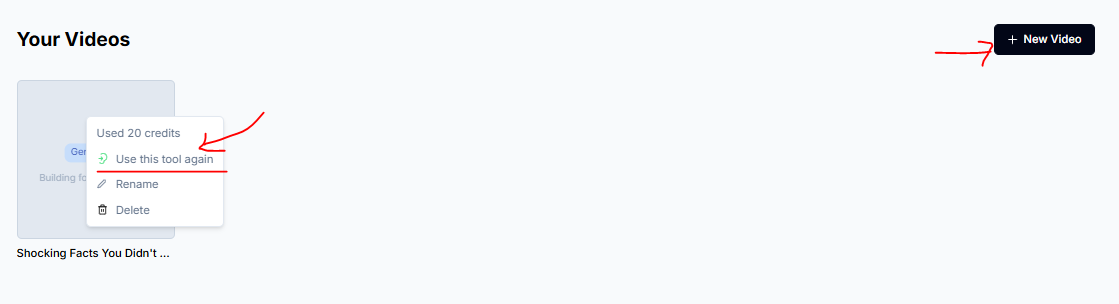
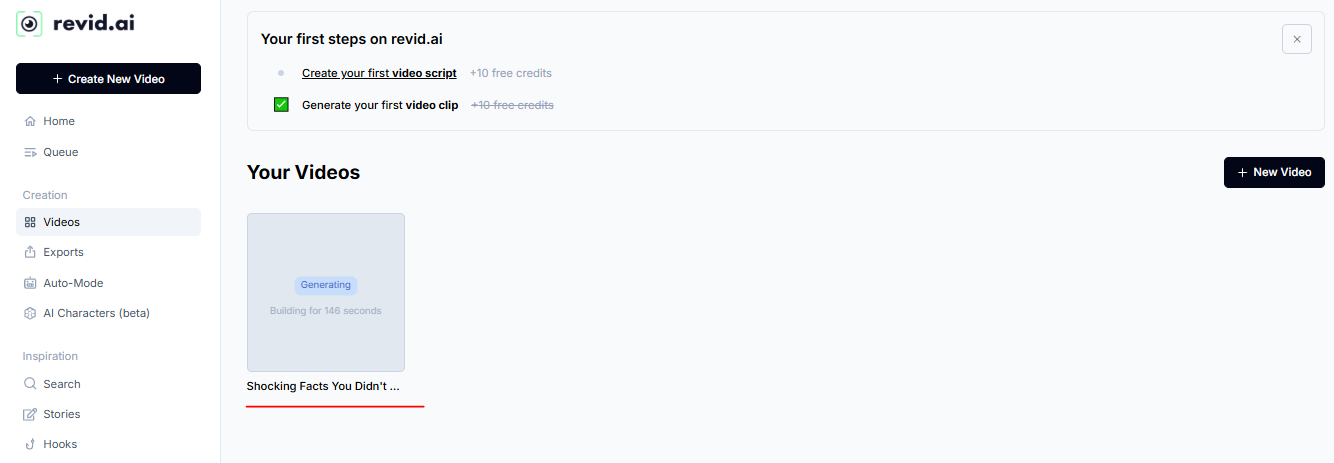
Generate Video: Last one, click on “Generate” and wait for it to create a complete faceless video for you. You can also rename this video, create a new one while waiting.
Step 5: Preview and Finalize
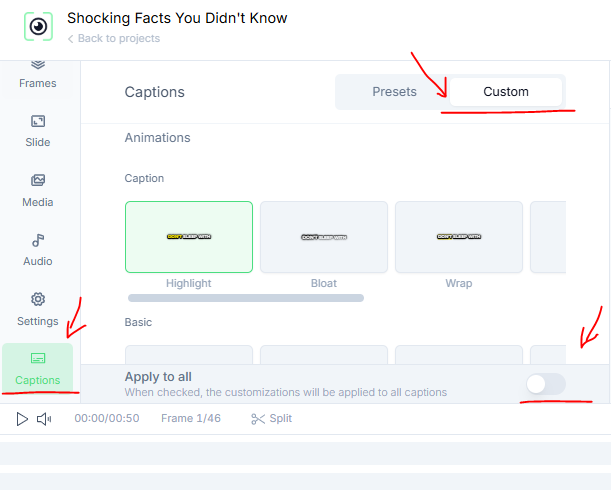
Preview Your Video: Watch the draft to ensure everything flows smoothly. Check the sync between visuals, voice, and captions.
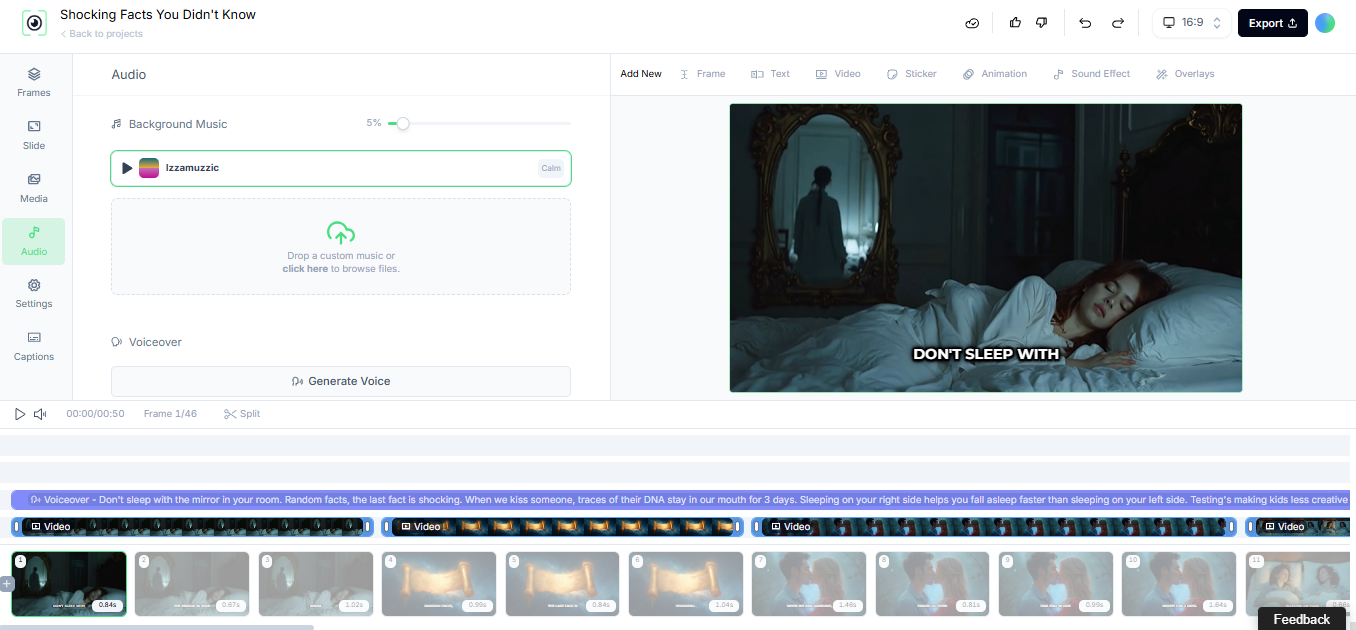
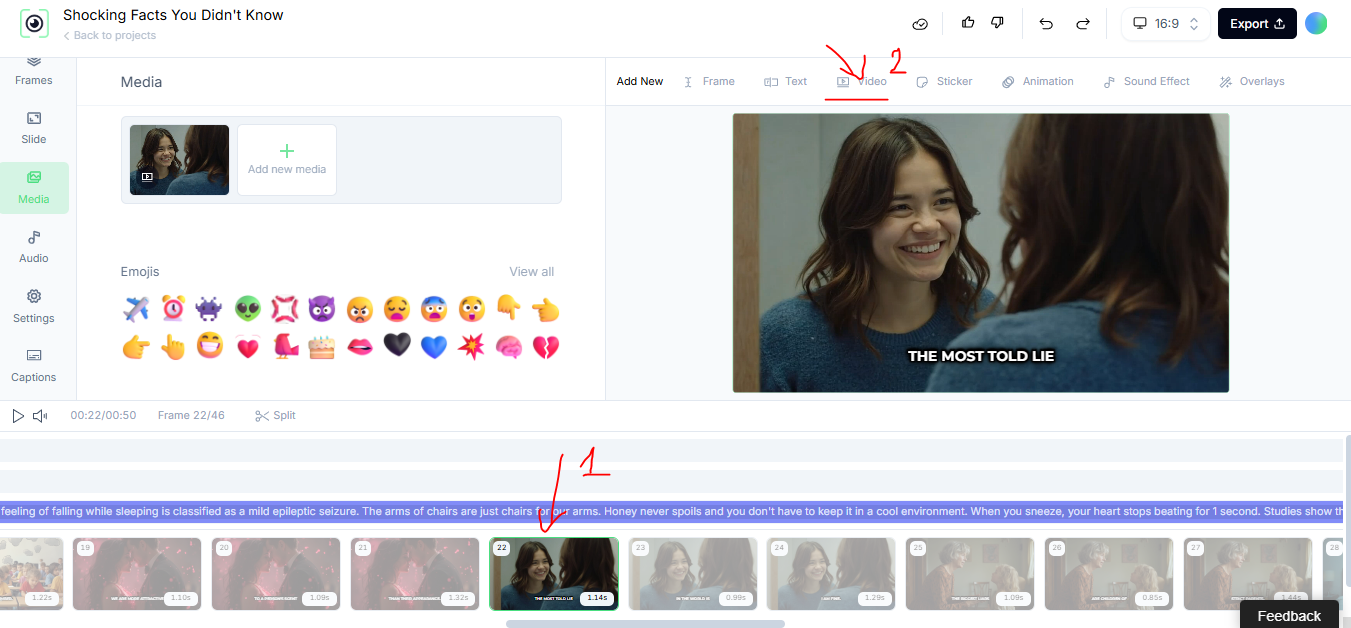
Customize the Captions: After the captions are generated, review them by playing the video with captions on the preview editor. You can manually edit any captions if needed by clicking on “Captions” > “Custom”. Click “Apply to all” when you’re happy with the captions.
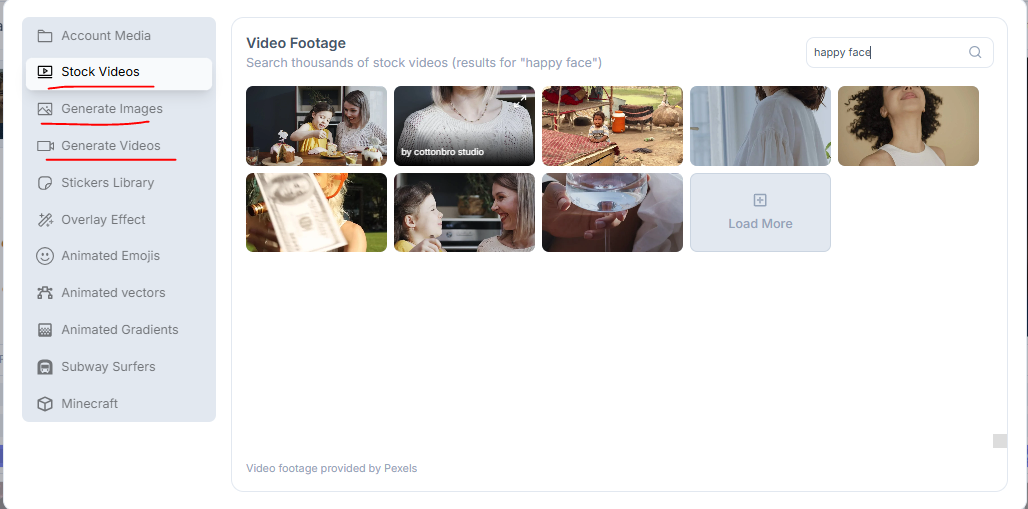
Adjust the Media: If some visuals don’t align with your expectations, you can easily replace them. Click on the specific media you want to change in the timeline. You have several options to change:
Choose a new stock video: Click on “Video” > “Stock Videos” > typing a keyword > search
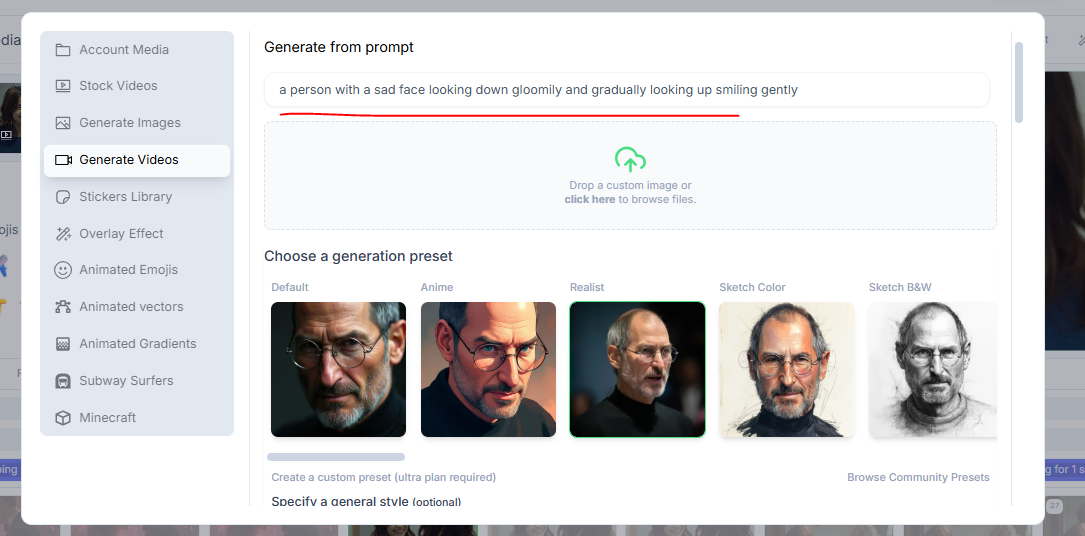
For me, I’ll type a prompt in “Generate Videos” and let Revid AI create alternatives:
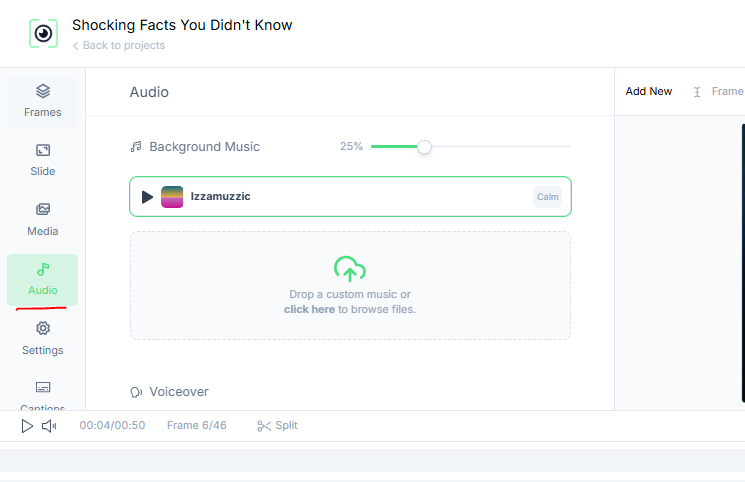
Other options: Revid AI is similar to Capcut Pro, so you can adjust the volume of the background music, voiceovers, animations,…. so feel free to see more tutorials here.
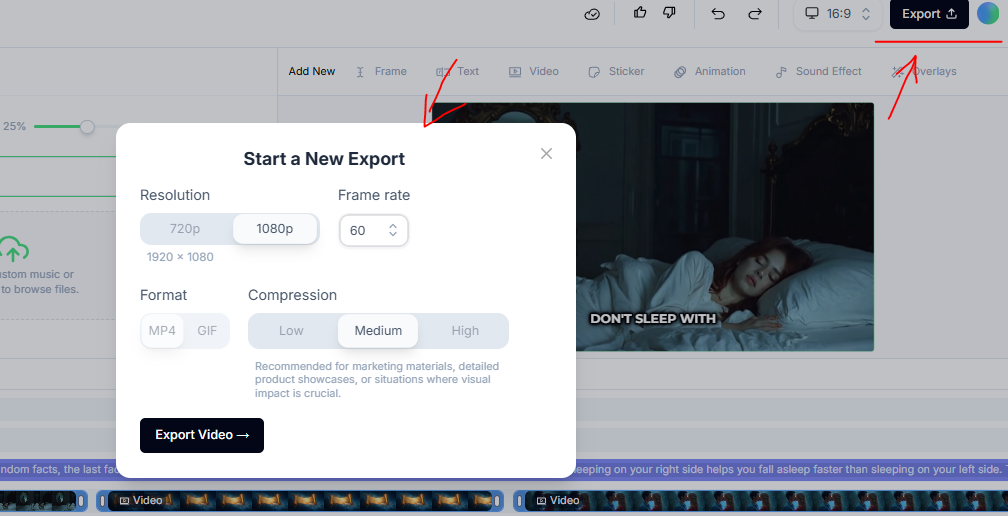
Download or Export Your Video: Click “Export” on the top right and choose the format you need.
Here’s the final video:
III. Tips for Optimizing Faceless Videos
Faceless videos may seem simple, but creating content that really stands out takes a bit of finesse. Here, I’ll guide you through tips to make sure your videos grab attention and keep viewers engaged. These aren’t just random ideas on the internet, I tested all of them and they’re practical steps you can apply right away.
Focus on Strong Visuals
You’re not on camera, so the visuals do the talking. Choose eye-catching footage, vibrant colors, and smooth animations. If you’re using stock footage, pick clips that feel fresh and relevant to your topic. Combine this with dynamic text overlays to emphasize key points.
=> Keep transitions between clips fast and clean. No one likes long pauses.
Play with Speed and Pacing
I’ve noticed that faster-paced videos get better engagement. If something feels slow, I speed it up slightly during editing. A tighter pace keeps the flow smooth and prevents drop-offs.
=> When I watch a draft, I imagine myself as a viewer with only 5 seconds to decide if it’s worth watching. If it doesn’t grab me, I cut or speed up sections.
Start with a Question or Intrigue
=> The first few seconds make or break your video. Use a catchy opening line from Part 4’s proven viral hooks to get people curious and keeps them watching. I’ve found that videos perform much better when they start with a question or a bold statement. People love answers, and their curiosity drives them to watch more.
=> When I use questions, I imagine talking to just one person, not a crowd. It feels more natural and relatable.
Test Different Formats
You don’t need to stick to one style. Experiment with square, vertical, or even wide-screen formats depending on where you’re posting. For TikTok or Instagram Reels, vertical is a must. For YouTube Shorts, try both square and vertical to see what performs better.
=> You can create one video and resize it for multiple platforms. This saves time while maximizing reach.
Use Patterns to Keep Attention
I prefer to break my videos into short, punchy clips. Each clip lasts 3-4 seconds. This keeps viewers engaged because their brains are always processing something new.
=> When editing, look at each frame and ask, “Will someone stop scrolling here?”. If the answer is no, tweak it.
Balance Information and Entertainment
You need a mix of both. Too much information, and people lose interest. Too much entertainment, and they won’t take your message seriously. I always ask myself, “Am I teaching something useful while keeping it fun?” If it’s boring to me, it’s boring to them.
=> Use humor sparingly in faceless videos, like a surprising image or a funny caption. It keeps things light but doesn’t distract from the message.
Watch Your Video Like a Viewer
This is a habit I swear by. Before posting, I play the video as if I were just scrolling through social media. I ask myself, “Would I stop to watch this?” If the answer isn’t a strong yes, I tweak it until it feels right.
=> I get feedback from a friend or colleague before posting. Fresh eyes always catch things I miss.
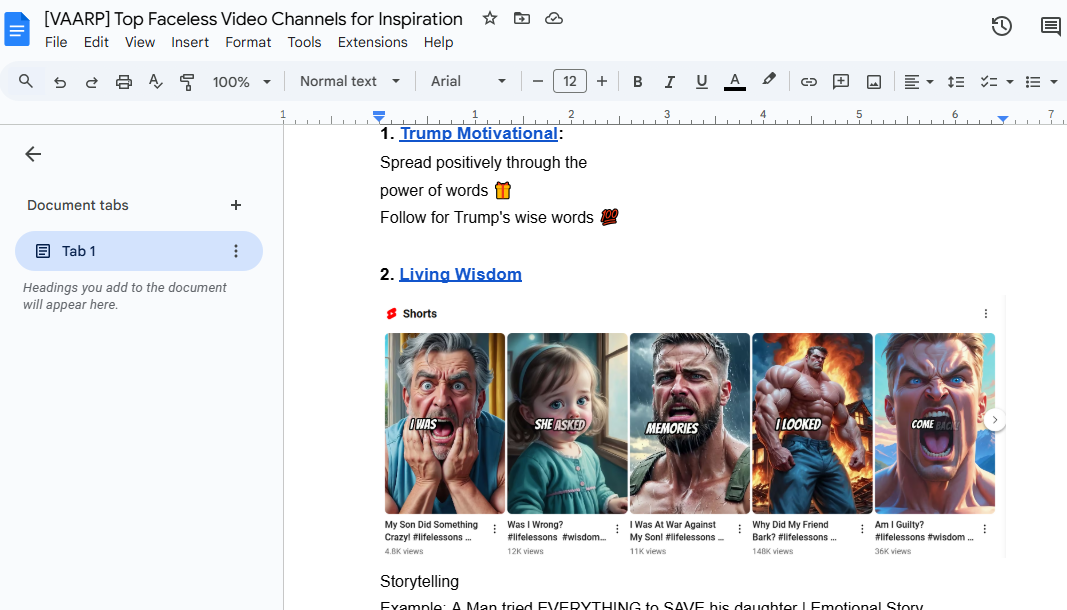
BONUS SECTION: Top Faceless Video Channels for Inspiration
Conclusion: Start Creating Your Viral Faceless Videos
You’ve got everything you need to start making faceless videos that catch attention. Take one idea and try it. Use the templates, hooks, and tips you’ve worked on earlier. Start simple, refine as you go, and trust the process.
Your success will grow with practice. Create a schedule that works for you. Even posting once a week makes a difference. Every video builds your momentum.
I want you to know that creating viral faceless videos isn’t about being perfect. It’s about being consistent, creative, and willing to try. You have what it takes to make this work. Now, go ahead and create something amazing, after creating, make sure to post your result on the group. I’ll go to your post and leave some comments like this: